

WOWPK pairs a fast lobby with shallow menus, making it a practical pick for everyday mobile entertainment. That decision keeps the app approachable for newcomers.
Understanding WOWPK
What WOWPK does not try to be matters too: there is no desktop client, no sprawling dashboard, and no mandatory tour. The result is a calmer, more predictable session.
Common WOWPK install questions
Check the file size, the Android requirement and the current version before installing WOWPK, then confirm the download source matches this page.
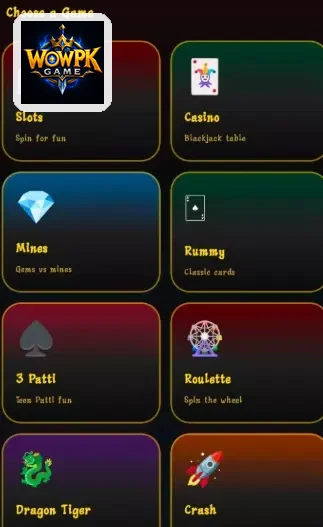
How WOWPK Works
WOWPK positions itself around convenience, letting you reach any main section within a couple of taps. For a phone-first app, that is the right priority.
Trending Android Apps This Week
Curiosity about rankings is common, and the SBJ66 bet draws steady traffic. The behavior stays consistent across versions.
Menus stay shallow: nothing in WOWPK is buried more than two levels deep. It leaves room for the rest of your phone to do its job.
A compact quick-actions bar keeps the top destinations visible at all times. Nothing about it feels bolted on or rushed.

Safety and Privacy
Avoid modified copies of WOWPK; unofficial rebuilds can add anything to the package. That decision keeps the app approachable for newcomers.
Tighten account privacy settings after registering; it takes under a minute. It keeps the learning curve short for new installs.
Making the Most of WOWPK
Clear the app cache from Android settings if a screen ever misbehaves. It is a small detail that matters over weeks of use.
Managing Your WOWPK Login
Login is quick on personal devices and asks for credentials on new hardware. It is the kind of choice you notice only when it is absent.
WOWPK vs Similar Apps
Compared with other Android apps, WOWPK trades feature depth for speed and a smaller footprint. Nothing here asks more of your device than necessary.
Text scales with system font settings without breaking the layout. Nothing here asks more of your device than necessary.
Progress survives a cache clear, because saved history lives on the account rather than only on the phone. Most of the polish is invisible until you need it.
What WOWPK Offers
The app runs on a wide range of Android versions, so older devices do not need to be retired just to keep using it.
The install size leaves room for other apps even on tighter storage. It keeps the learning curve short for new installs.
When WOWPK updates land, traffic shifts toward GOLDS bonus for a few days. It is the kind of choice you notice only when it is absent.
Local Notes
Payment coverage is the most common regional difference users notice.
Transaction options depend on region; the account area lists supported methods with their limits.
Pros and Cons
- Clean interface suitable for one-handed use
- Quick install and small download size
- Updates arrive regularly without breaking settings
- Limited desktop support - this is a phone-first app
- Some features depend on regional availability
Screenshot transaction confirmations until they settle. It is a small detail that matters over weeks of use.
Transaction Guidance
Keep proof of any promotion you join until its terms are satisfied. The result is a calmer, more predictable session.
Withdrawal processing is not instant on most methods; plan accordingly. It is simple on the surface, considered underneath.
What Changed in This Build
The 2.9.6.5 release is the latest build at the time of writing, with notes focused on stability. This keeps day-to-day use predictable.
The lobby opens directly into the most-used sections, so everyday actions rarely take more than two taps from launch.
The app remembers display preferences per device instead of tying them to the account. Nothing about it feels bolted on or rushed.
How to Download and Install WOWPK APK
1. Confirm the version shown on the page matches 2.9.6.5.
2. Open the file from the notification shade or the Downloads folder.
3. Tap Install and let Android complete the package check.
4. Launch WOWPK and allow only the permissions you recognize.
If a promotion looks too generous, read its conditions first. That consistency is easy to underestimate.
Feature Overview
The lobby opens directly into the most-used sections, so everyday actions rarely take more than two taps. It leaves room for the rest of your phone to do its job.
Search inside WOWPK reaches any section without scrolling through the full list.
The interface stays readable on small screens, with buttons sized for one-handed use and text that scales with system settings.
Notifications are opt-in, so the app stays quiet unless you enable reminders. You feel the difference most on a busy phone.
Weighing WOWPK
- Searchable lobby that saves scrolling
- Shallow navigation with clear labels
- Fast, lightweight lobby that opens in seconds
- Feature depth is intentionally limited
- Some sections depend on regional availability
Use the search field inside the lobby instead of scrolling long lists.
Usage Tips
Log out on shared devices and remember sessions only on personal hardware.
Money Features Explained
Offer availability varies by region and account status. Most of the polish is invisible until you need it.
Release History at a Glance
While updating, it is worth checking JAZBABET bet - newer Android apps appear on the site every week.
The installer needs a little free space beyond the APK size, so keep a margin on full devices. The behavior stays consistent across versions.
Trust and Safety Notes
Never share your password or verification codes; support never asks for credentials over chat.
Start with the built-in tutorial if it appears on first launch; it explains the lobby fastest. Power users will appreciate that it stays out of the way.
Using WOWPK Locally
Language coverage in WOWPK adapts to device settings on first launch.
Older records stay visible in the wallet history, which makes month-end checks easier.
Getting Started with an Account
Registration unlocks personalized sections and saved progress across sessions. Reviews tend to mention this point first.
Sign out before lending your phone to someone else.
This Week in Android
Curiosity about rankings is common: the Downloadcom draws steady traffic, and comparing it with WOWPK helps you decide which lobby fits your taste.
How People Use WOWPK
The WOWPK team ships updates often, and 2.9.6.5 is currently the build most players see on the download page.
Frequently Asked Questions
Does WOWPK work offline?
Some screens open offline, but account sections need a connection to load your history.
Is my payment information stored in the app?
Payment details are handled by the listed providers; WOWPK shows records rather than storing card numbers.
What is new in 2.9.6.5?
Stability fixes and interface polish; the download page lists the specifics.
How do I remove WOWPK completely?
Uninstall from Android settings; this removes the app and its local data.
What Android version do I need?
The build supports a wide range of devices; check the download page for the current minimum.
Why is a section missing from my app?
Sections can be region-gated; check availability in your area before assuming a problem.
Conclusion
WOWPK closes the gap between simple and capable better than many Android apps.
Comment